

Troubleshooting tech devices is a skill that almost everyone needs today. From smartphones and laptops to smart TVs and routers, we all depend on technology in our daily lives. However, devices can stop working properly at any time. When that happens, knowing how to fix common issues can save both time and money. Troubleshooting tech devices helps you identify problems, understand their causes, and apply simple solutions without needing expert help every time.Many people feel frustrated when their device slows down, freezes, or stops responding. The good news is that most problems are not as complex as they seem. With a clear approach and a bit of patience, you can fix many issues yourself. This guide is designed for beginners and intermediate users who want to understand troubleshooting tech devices in a simple and practical way.By the end of this article, you will learn how to diagnose problems, apply step-by-step fixes, avoid common mistakes, and keep your devices running smoothly. Whether you are dealing with software glitches or hardware concerns, this guide will give you the confidence to handle them effectively.
What is Troubleshooting Tech Devices?
Troubleshooting tech devices means identifying and solving problems that occur in electronic devices. These problems can be related to software, hardware, or network connections. The goal is to find the root cause and fix it in the simplest way possible.For example, if your phone is not connecting to Wi-Fi, troubleshooting involves checking settings, restarting the device, and verifying the network. Similarly, if a laptop is slow, you might check for background apps, storage issues, or outdated software.Troubleshooting tech devices is not just about fixing issues. It also involves understanding how devices work and preventing problems before they happen. This process usually follows a logical sequence, such as identifying the issue, testing possible causes, and applying solutions.In simple terms, troubleshooting is like solving a puzzle. Each step brings you closer to the solution, and with practice, it becomes easier and faster.
Why is Troubleshooting Tech Devices Important?
Troubleshooting tech devices is important because it helps you stay productive and reduces dependency on technical support. Devices play a major role in work, communication, and entertainment, so keeping them functional is essential.First, it saves time. Instead of waiting for professional help, you can fix simple issues on your own. Second, it saves money. Many problems do not require repairs or replacements, and troubleshooting helps you avoid unnecessary expenses.Moreover, troubleshooting tech devices improves your confidence. When you understand how to handle common problems, you feel more in control of your technology. It also helps you make better decisions when buying or maintaining devices.Another key benefit is prevention. By regularly checking your devices and fixing minor issues early, you can avoid major problems in the future. This ensures a smoother and more reliable experience overall.
Detailed Step-by-Step Guide
Step 1: Identify the Problem
Start by clearly understanding what is wrong. Is the device slow, not turning on, or showing an error message? Take note of any unusual behavior. For example, if your laptop freezes often, observe when it happens. Identifying the problem accurately is the first step in troubleshooting tech devices.
Step 2: Restart the Device
Restarting is one of the simplest yet most effective solutions. It clears temporary files and refreshes the system. Many issues, such as app crashes or slow performance, can be resolved with a quick reboot. Always try this step before moving to more advanced solutions.
Step 3: Check Connections
Make sure all cables, power sources, and network connections are secure. Loose cables or weak signals can cause many problems. For instance, if your internet is not working, check your router and modem connections.
Step 4: Update Software
Outdated software can lead to bugs and compatibility issues. Check for updates on your device and install them. This includes operating systems, apps, and drivers. Keeping everything updated is a key part of troubleshooting tech devices.
Step 5: Scan for Viruses or Malware
Security threats can slow down or damage your device. Use reliable antivirus software to scan for viruses and remove any threats. This step is especially important for computers and smartphones.
Step 6: Free Up Storage Space
Low storage can affect performance. Delete unnecessary files, uninstall unused apps, and clear cache data. A device with enough free space runs more smoothly and efficiently.
Step 7: Reset Settings
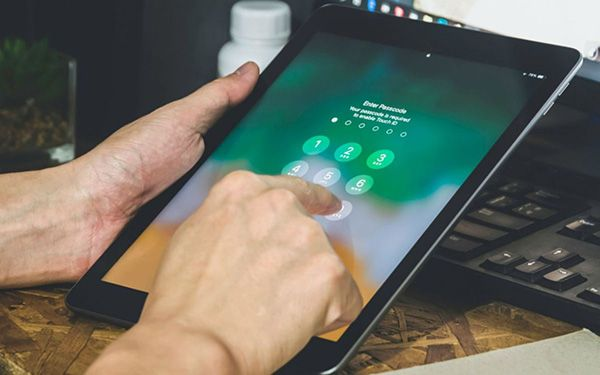
If the problem continues, consider resetting the device settings. This can fix configuration issues. However, make sure to back up your data before doing a reset to avoid losing important information.
Step 8: Seek Professional Help
If none of the steps work, it may be time to consult a technician. Some problems, especially hardware issues, require expert handling. Knowing when to seek help is also part of troubleshooting tech devices.
Benefits of Troubleshooting Tech Devices
- Saves money by avoiding unnecessary repairs
- Reduces downtime and improves productivity
- Builds confidence in handling technology
- Helps identify issues early before they become serious
- Extends the lifespan of devices
- Improves overall performance and efficiency
- Encourages better maintenance habits
Disadvantages / Risks
- Incorrect steps may worsen the problem
- Data loss can occur if backups are not taken
- Time-consuming for complex issues
- Some problems require technical expertise
- Risk of damaging hardware if handled improperly
Common Mistakes to Avoid
One common mistake is skipping basic steps like restarting the device. Many users jump directly to complex solutions, which can waste time. Another mistake is ignoring updates. Outdated software often causes issues that can be easily fixed.It is also important not to panic. Rushing through troubleshooting tech devices can lead to errors. Take your time and follow a logical process. Additionally, avoid downloading unknown tools or software, as they may contain malware.Many people forget to back up their data before making changes. This can result in data loss, especially during resets. Lastly, do not attempt hardware repairs without proper knowledge, as this can cause permanent damage.
FAQs
1. What is the first step in troubleshooting tech devices?
The first step is identifying the problem clearly. Understanding what is wrong helps you choose the right solution and avoid unnecessary steps.
2. Why does restarting fix many issues?
Restarting clears temporary files and resets system processes. This helps resolve minor glitches and improves performance.
3. How often should I update my device?
You should check for updates regularly, at least once a week. Keeping your device updated ensures better security and performance.
4. Is troubleshooting tech devices safe for beginners?
Yes, as long as you follow basic steps and avoid complex repairs. Beginners can handle many common issues safely.
5. When should I seek professional help?
If the problem persists after trying basic steps or involves hardware damage, it is best to consult a professional technician.
6. Can troubleshooting prevent future problems?
Yes, regular maintenance and early issue detection can prevent major problems and keep your devices running smoothly.
Expert Tips & Bonus Points
Always keep your device clean, both physically and digitally. Dust can affect hardware, while cluttered storage can slow performance. Regular maintenance is key to effective troubleshooting tech devices.Another useful tip is to learn basic error messages. Understanding what they mean can help you fix issues faster. For example, a “low storage” warning clearly indicates the need to free up space.It is also helpful to keep backups of your important data. This ensures that even if something goes wrong, your files remain safe. Use cloud storage or external drives for backups.Additionally, avoid installing too many apps or programs. Unnecessary software can slow down your device and increase the chances of conflicts. Stick to essential applications only.Finally, stay patient and keep learning. Troubleshooting tech devices becomes easier with experience. The more problems you solve, the more confident you will become.
Conclusion
Troubleshooting tech devices is an essential skill in today’s digital world. It allows you to fix common issues, maintain your devices, and reduce reliance on professional help. By following a simple step-by-step approach, you can identify problems, apply solutions, and keep your devices running smoothly.This guide has covered everything from understanding the basics to avoiding common mistakes. You have learned how to restart devices, check connections, update software, and protect against security threats. These steps are practical and easy to apply, even for beginners.More importantly, troubleshooting tech devices is not just about fixing problems. It is about building confidence and understanding how technology works. With regular practice, you will become more efficient and capable of handling different situations.In the long run, this skill will save you time, money, and frustration. So the next time your device acts up, do not panic. Follow the steps, stay calm, and solve the issue step by step
